
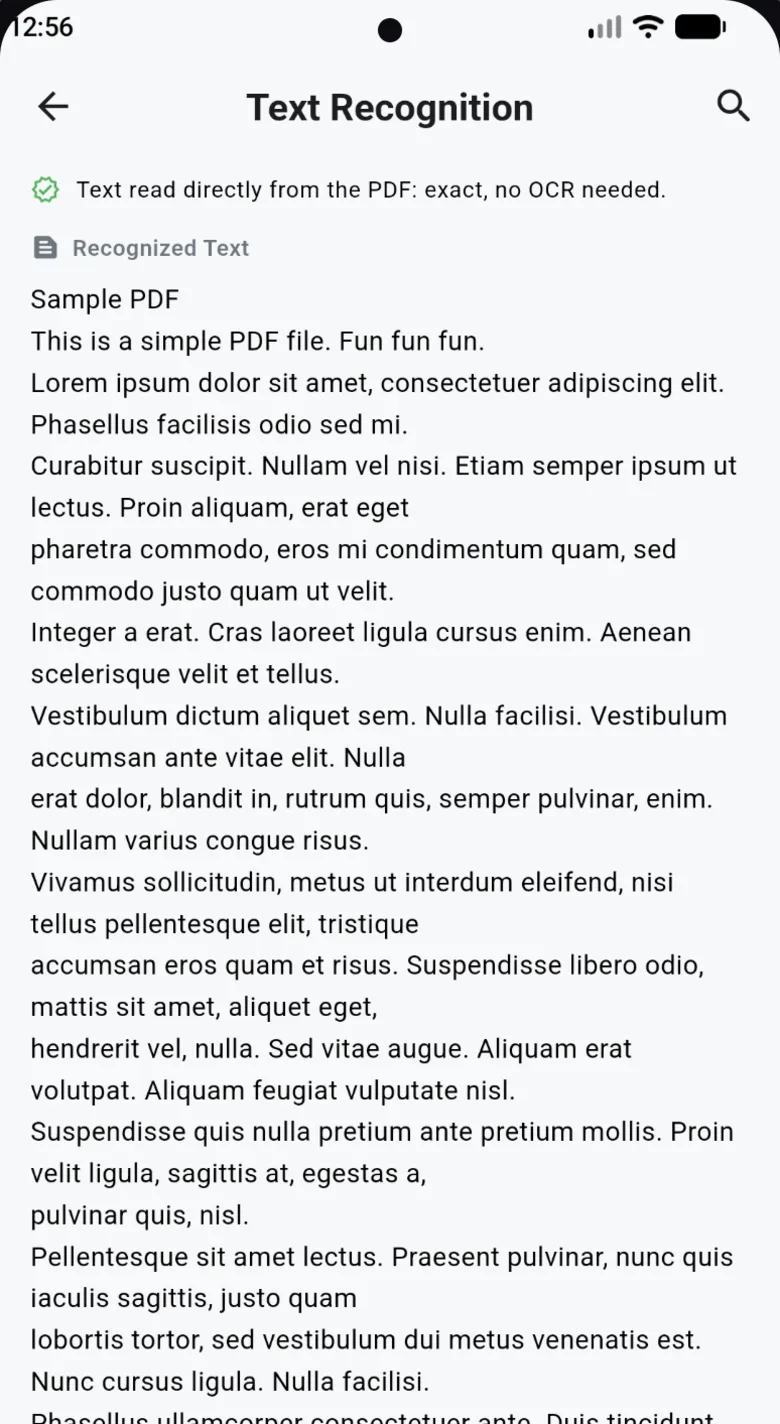
How to get text from an image
- Tap Extract textIt's on the Pix Scan Home screen. You can also choose Extract Text after any scan, or on a PDF you already have.
- Scan a page or pick a filePoint the camera at a page, or use a photo or PDF that's already on your phone.
- Use the textCopy it, search it with highlighted matches, or share it as plain text or a .txt file.
What OCR is good for
OCR (optical character recognition) reads the letters in a picture and turns them into real text. A few everyday uses:
- Quote a page from a book or article without typing it out
- Pull details from an invoice, letter or receipt into an email or spreadsheet
- Find one line in a long scanned document with search
- Listen to a scanned page: Read Aloud runs OCR first, so even photos can be read to you. See PDF to MP3
Languages
Pix Scan's text recognition reads Latin-script languages, such as English, Spanish, French, German, Portuguese and Italian. If a PDF already contains real text (not just a picture of text), Pix Scan reads it directly, in any language, with no OCR needed.
Tips for better results
- Use even light and avoid shadows across the page
- Keep the page flat and fill the frame with it
- Pick the Enhance or B&W filter for faded or low-contrast pages
- Printed text gives the best results; handwriting varies
OCR runs on your phone. It works offline, and your images and documents are never uploaded to a server.
Common questions
Is the OCR free?
Yes. Text recognition is part of Pix Scan, which is free with no ads, subscription or account.
Which languages does it recognise?
Latin-script languages such as English, Spanish, French and German. PDFs that already contain text work in any language.
Are my images uploaded for OCR?
No. Recognition happens on your phone and works without internet. Your images stay on your device.
Can I save the text as a file?
Yes. Share the text as a .txt file, or copy it into any app.
